Make an AI webtoon —
a real vertical episode, ready for the scroll.
An AI webtoon generator turns a written story into vertical-scroll episodes composed for a phone — not comic pages cropped tall. Here's what a real one looks like, what the export actually contains, and what an episode honestly costs.
The free preview draws a cover and the first unit of your own story.
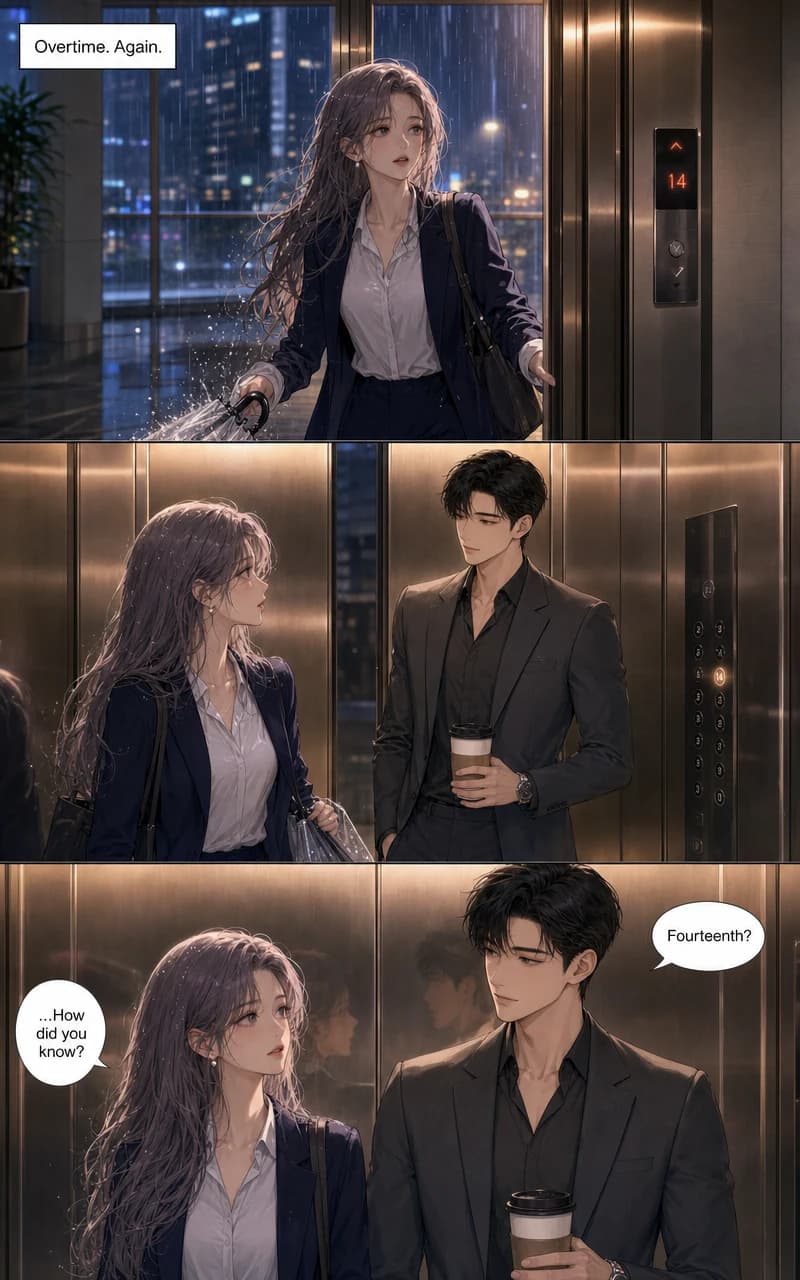
One real generated unit — 800×1280, composed for the scroll.
Try it now
Type a story. Watch it scroll.
Free, no account: describe a story and a character, and get a generated cover and first vertical unit in about a minute or two. If you like what you see, an account continues the same episode.
Free: the cover and page 1 of your story. No account needed. One preview per visitor.
How it works
Four steps, and none of them is drawing
This is the exact order of the create flow. You make the choices; the studio composes the scroll.
- 1
Pick webtoon, pick a look
Choose the vertical format, then one of 21 drawing styles — the webtoon-native looks below, or any of the others.
- 2
Set length and language
Anywhere from 4 to 400 vertical units, with dialogue lettered in whichever of the 60+ languages your readers speak.
- 3
Build your cast
Up to six characters, each with a locked reference sheet. Every unit in the episode is drawn from those sheets.
- 4
Tell the story and generate
Write your premise, then generate. Units arrive composed and lettered; if one isn't right, redo that unit — the rest of the episode doesn't move.
The format
A webtoon is a format, not a crop
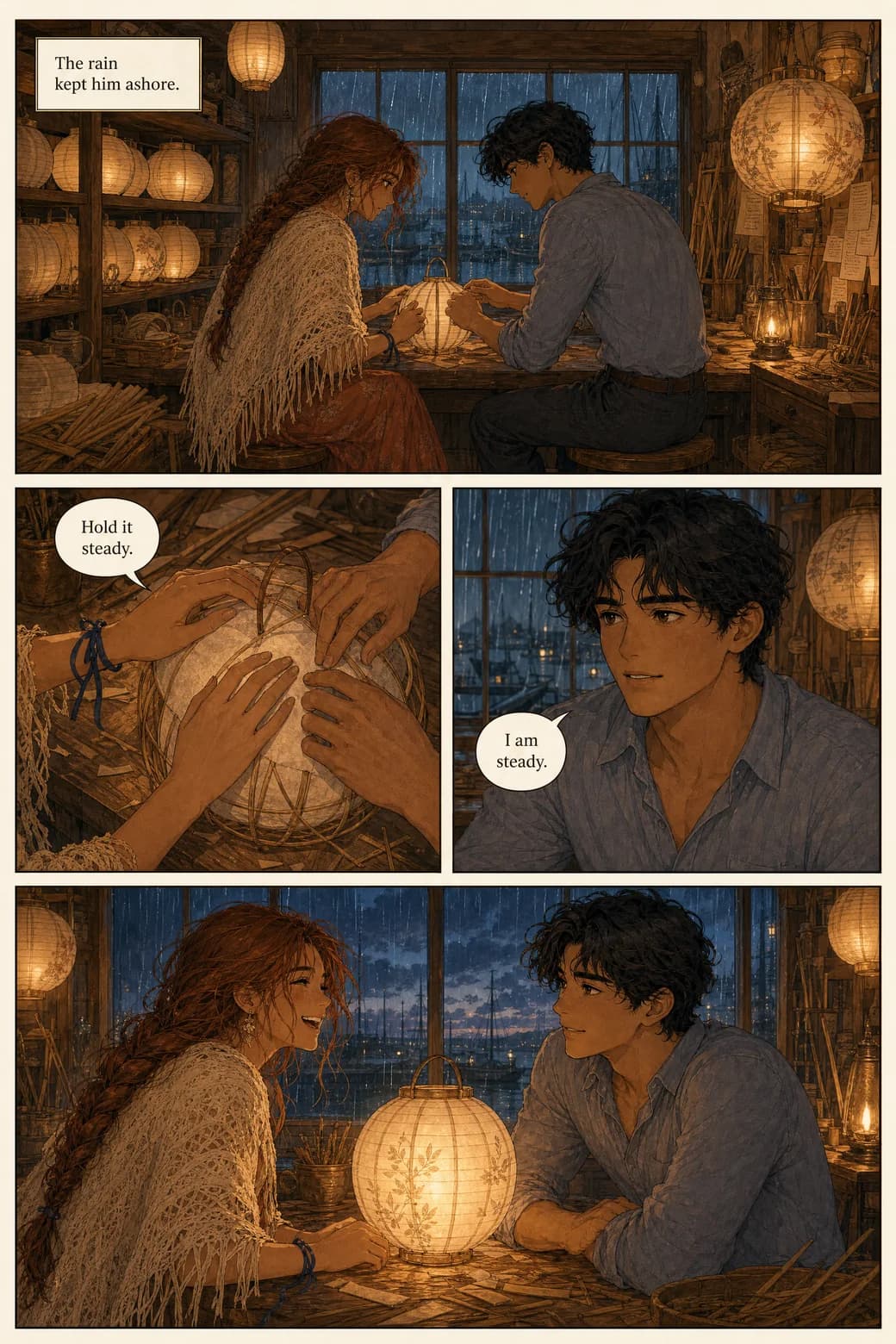
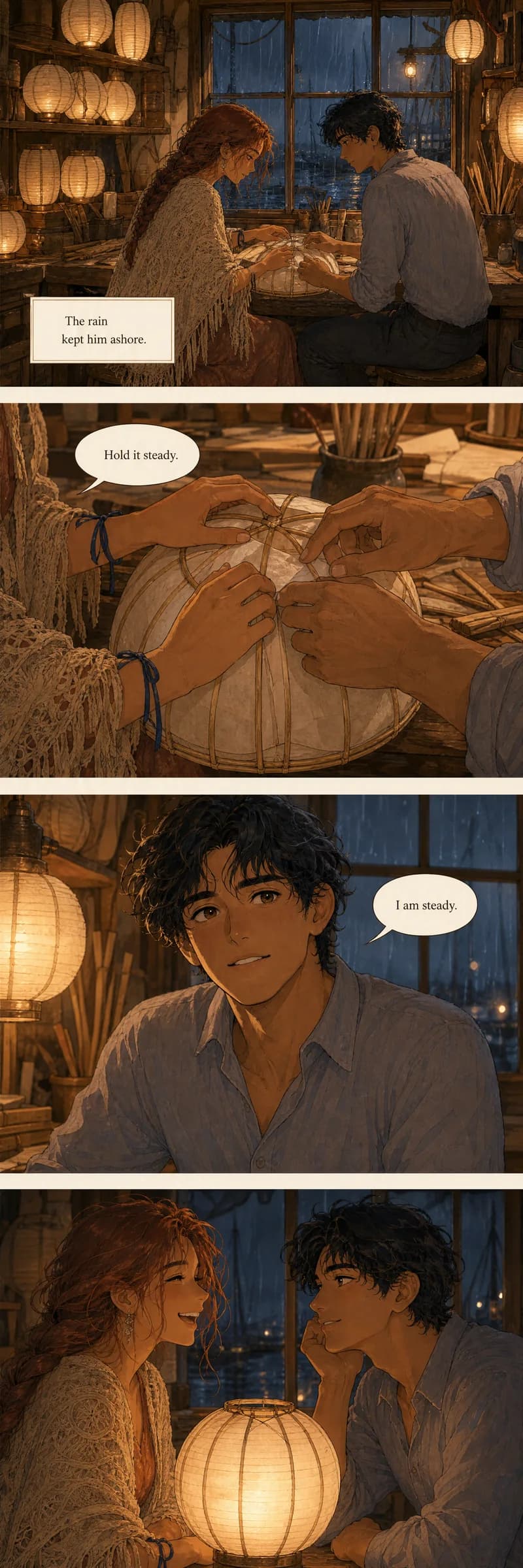
What separates a webtoon from a comic isn't the art — it's that the spacing and reveals are timed to the reader's scroll. A page-based comic re-cut into a tall strip gets this wrong, because its beats were composed for a page-turn, not a thumb. Below is the same workshop scene built both ways: the page thinks in a grid; the strip thinks in a scroll.
The numbers under the craft
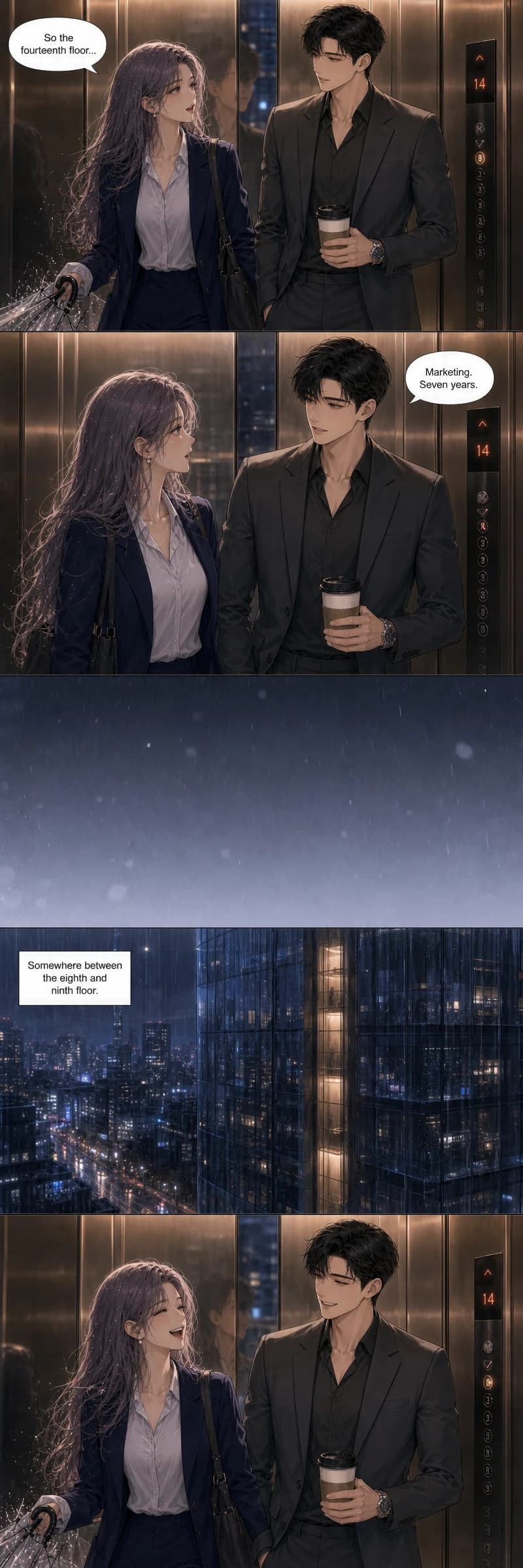
TaleFolio generates webtoon stories natively as 800×1280 px units — which is exactly WEBTOON Canvas's per-image cap, on purpose. Each unit carries 1 to 4 full-width panels, paced by the story: a quiet beat gets one tall panel and room to breathe; a conversation gets three tight ones. Speech bubbles are placed for vertical reading flow during generation, and because the canvas is 800px wide, the type runs larger relative to the frame than on a print page — built for a phone held at arm's length.
The strip beside this shows the pacing at work: two tight dialogue panels, a full breath of empty space at the scene change, then one wide, quiet panel. That gap isn't wasted pixels — it's the webtoon's equivalent of a page-turn.
Consistency
The cast survives the episode
If you've tried this with an image generator, you know the failure: the face that opened the episode is a stranger by the third panel. That's not bad luck — a single-image tool has no memory between generations, so every panel is a fresh guess at your words. Here, each character gets a locked reference sheet before the first unit is drawn, and every unit after is drawn from the sheets. The full recipe for writing characters that stay consistent lives on our comic generator page; below is what it looks like in vertical.

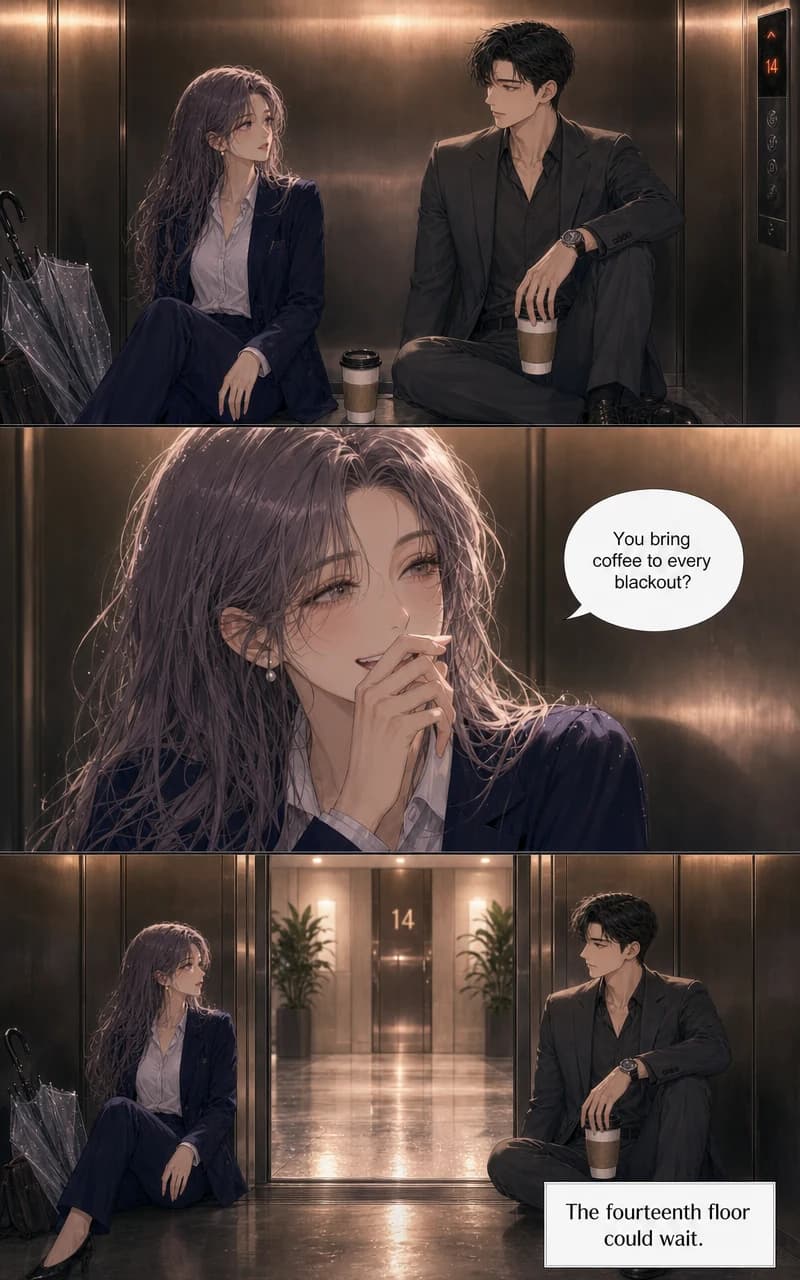
Three consecutive units of Fourteenth Floor. Follow her ash-lavender hair; follow his charcoal suit. The lighting swings from lobby white to emergency amber — the faces don't.
Export
What you download uploads to Canvas — as-is
Most tools stop at "here are your images." A webtoon export has an exact shape, so here is exactly what you get:
your-episode.zip
├── 001.jpg   ← the cover
├── 002.jpg   ← unit 1    each file exactly 800 × 1280 px
├── 003.jpg   ← unit 2    JPEG quality 90, ~150–400 KB
└── …            sequential, in reading order
Those numbers aren't arbitrary: WEBTOON Canvas accepts images up to 800px wide, 1280px tall, and 2MB each — and every file in the export sits inside all three limits. No external slicing, no resizing, no image editor. A 10-unit episode is a ZIP of 11 JPGs you can upload to Canvas directly.
Stories run up to 400 units. Canvas caps a single episode upload at 100 images, so a longer story uploads as multiple episodes — one per ~99 units — which is how serialized webtoons publish anyway.
Also available per story: Tapas, GlobalComix, and Kindle-ready exports, plus PDF and CBZ.
Pricing
What an episode actually costs
There's no free tier here — what's free is the preview: a cover and the first unit of your own story. After that, the math is flat: every generated unit costs 100 coins, whatever the style or language.
Checked arithmetic: a 40–60-panel episode is roughly 16–20 units — 1,600 to 2,000 coins, about one Starter month ($9.99).
| Plan | Price / month | Coins | ≈ Episodes like that |
|---|---|---|---|
| Starter | $9.99 | 2,000 | 1 per month |
| Plus | $24.99 | 7,000 | 3–4 per month |
| Pro | $59.99 | 20,000 | 10+ per month |
Didn't like unit 14? Redo unit 14 — 100 coins, and the other units don't move. Full details on the pricing page. Cancel anytime.
An honest page
AI and the webtoon world
The question webtoon creators actually ask first: does WEBTOON allow AI-generated comics? As of September 2026, WEBTOON Canvas has no published platform-wide ban on AI-generated comics and no labeling requirement — but that is not a guarantee of acceptance, and WEBTOON's contests have separately prohibited generative-AI entries. Check the current Canvas terms and any contest rules before you publish; policies in this space change.
And to be plain about who this tool is for: the person with a story and no forty hours a week per episode — not a replacement for the drawn path. Drawing a webtoon by hand in a tool like Clip Studio is a real craft, and the artists doing it weekly have our respect. If your goal is single vertical images rather than episodes, free image generators do that job; and for publishing mechanics and platform strategy, the platforms' own resources are the authority.
Assessed September 2026.
Languages
Lettered for the scroll, in 60+ languages
Dialogue is placed and lettered while the units are generated — and because a webtoon's canvas is 800px wide, the type runs larger relative to the frame than it would on a print page. Write in the language you think in, publish in the one your readers scroll in. The unit beside this is Fourteenth Floor's opening, lettered natively in Korean.

Styles
Webtoon-native looks — and 18 more
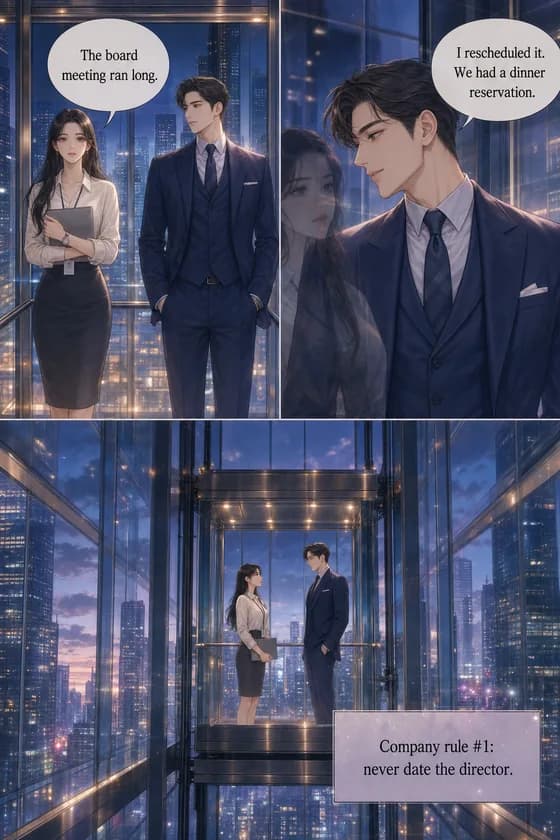
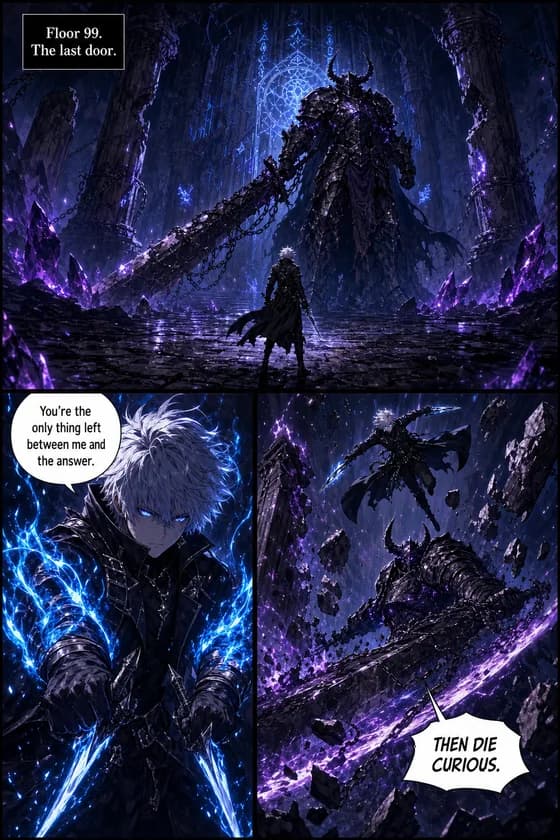
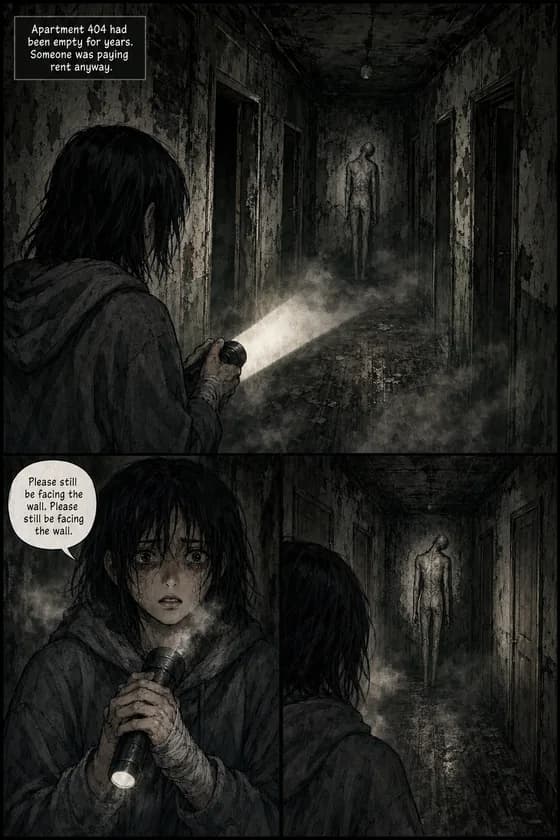
Three styles were built for the vertical format: Romance Webtoon (the luminous, rim-lit look of the hit romance serials), Dark Fantasy Webtoon (jewel-toned darkness cut by radiant glow), and Dark Webtoon (drained ash tones for horror and dread). All 21 styles work in vertical, plus custom style descriptions — and style changes how units are drawn, never who your characters are.
Questions webtoon creators actually ask
Can AI make a real vertical webtoon, not just tall images?
Is the export ready to upload to WEBTOON Canvas?
Does WEBTOON allow AI-generated comics on Canvas?
What does one episode actually cost?
Will my characters stay consistent?
Can I make a webtoon without knowing how to draw?
What's actually free?
How long can a story run?
Is this for making webtoons, or for becoming a webtoon creator?
Your story already scrolls in your head.
See its cover and first unit — free — and check the faces yourself.
Make your first unit