Turn your story into manga pages —
ink, tone, and all.
An AI manga generator turns a written story into finished manga pages. The test isn't whether it can draw — it's whether the output is actually manga: black ink, white paper, value built from tone, and the same faces on page twelve as page one. Here's ours, up close.
The free preview draws a cover and the first page of your own story.
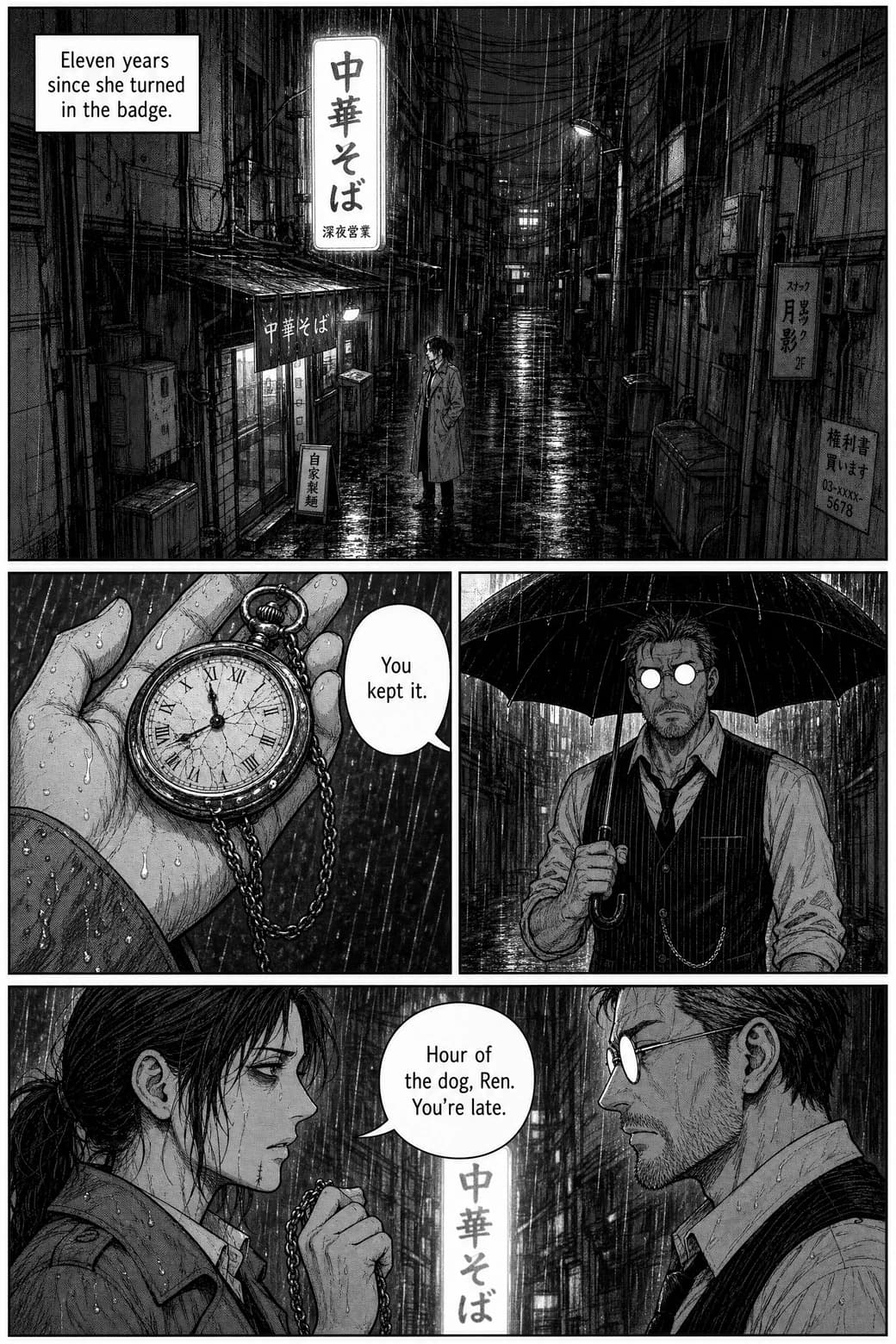
A real generated page — The Hour of the Dog, inked by TaleFolio.
Try it now
Type a story. Get an inked page.
Free, no account: describe a story and a character, and get a generated cover and first page in about a minute or two. If you like what you see, an account continues the same chapter.
Free: the cover and page 1 of your story. No account needed. One preview per visitor.
How it works
Four steps, and none of them is drawing
This is the exact order of the create flow. You make the choices; the studio does the inking.
- 1
Pick a manga style
Manga for screentone black-and-white, Realist Seinen for dense ink and cross-hatching — two of the 21 styles, built for this register.
- 2
Set length and language
Anywhere from 4 to 400 pages, with dialogue lettered in whichever of the 60+ languages your readers speak — Japanese included.
- 3
Build your cast
Up to six characters, each with a locked reference sheet. Every page in the chapter is drawn from those sheets.
- 4
Tell the story and generate
Write your premise, then generate. Pages arrive inked and lettered; if one isn't right, redo that page — the rest of the chapter doesn't move.
The thesis
Ink, not grayscale anime
If every "manga" generator you've tried hands you colored anime stills — or gray-washed pages that feel airbrushed instead of inked — that's not your prompt's fault. Real manga doesn't build value with smooth gradients. It builds it from controlled blacks and whites, hatching, and screentone — fields of dots whose density does the work a gradient fakes. That difference is the first thing a manga reader's eye checks, usually without knowing it.
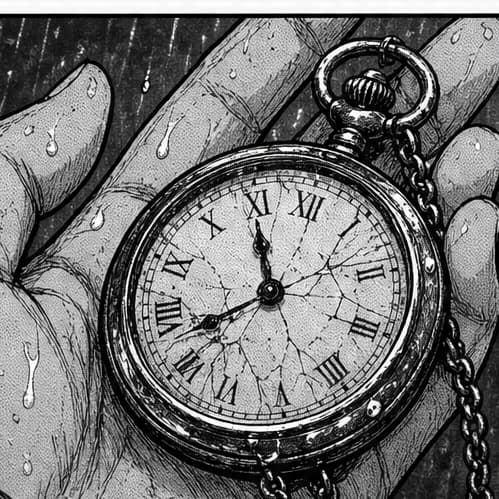
Zoom in. That's the whole argument.
The crop beside this is a region of the page above at full resolution, unretouched: pen hatching on the skin of the hand, solid blacks with crisp edges, tone laid with visible grain and tooth — not a photograph filter, not a grey wash. The TaleFolio Manga style renders pages in this register by default; Realist Seinen pushes further into heavy cross-hatching and faces that show age and wear.
And if you don't know (or care) what screentone is — that's fine. You don't need to. Pick the Manga style and the conventions come with it. And if what you actually want is color — luminous webtoon romance, painted fantasy, modern anime — that's real demand too, and it lives honestly in the comic generator's 21-style range. This page is for the black-and-white thing.
Consistency
Page twelve is the test
Single good pages are easy now. A chapter isn't: an image generator has no memory between generations, so the detective who opened your story is a stranger by the third page. Here, each character gets a locked reference sheet before page one is drawn, and every page is drawn from the sheets. The full recipe for writing characters that hold lives on our comic generator page; below is what it looks like in ink.
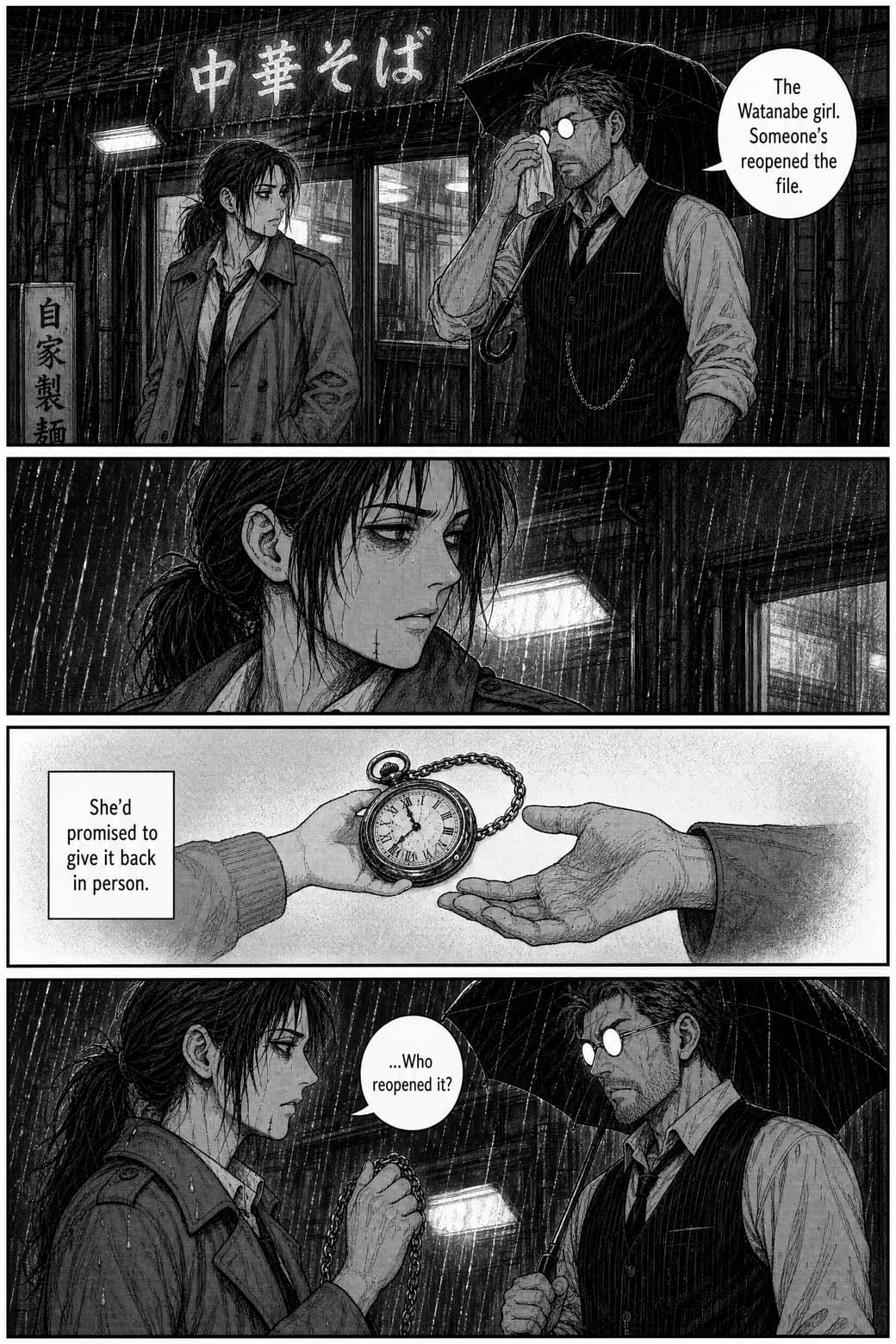
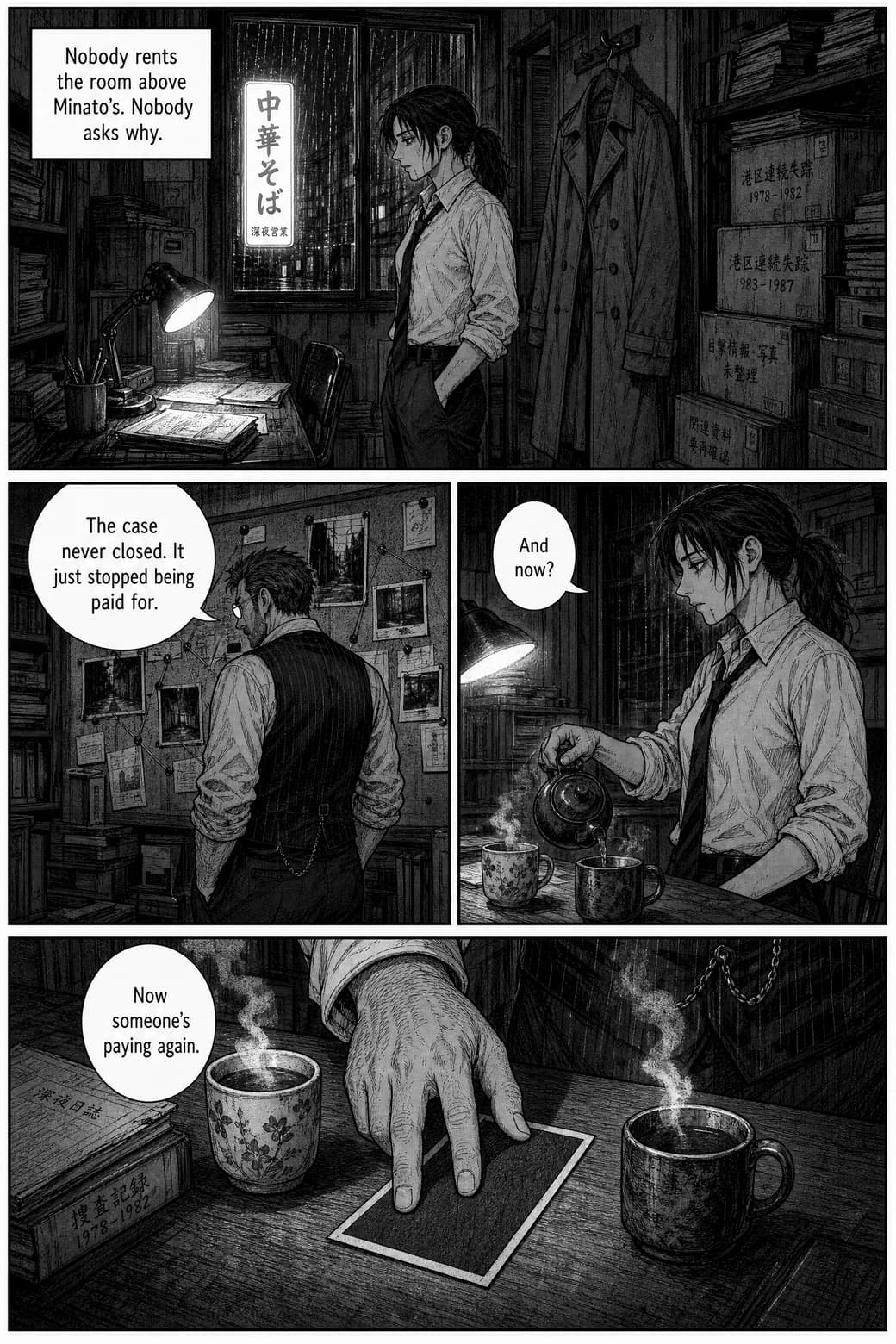
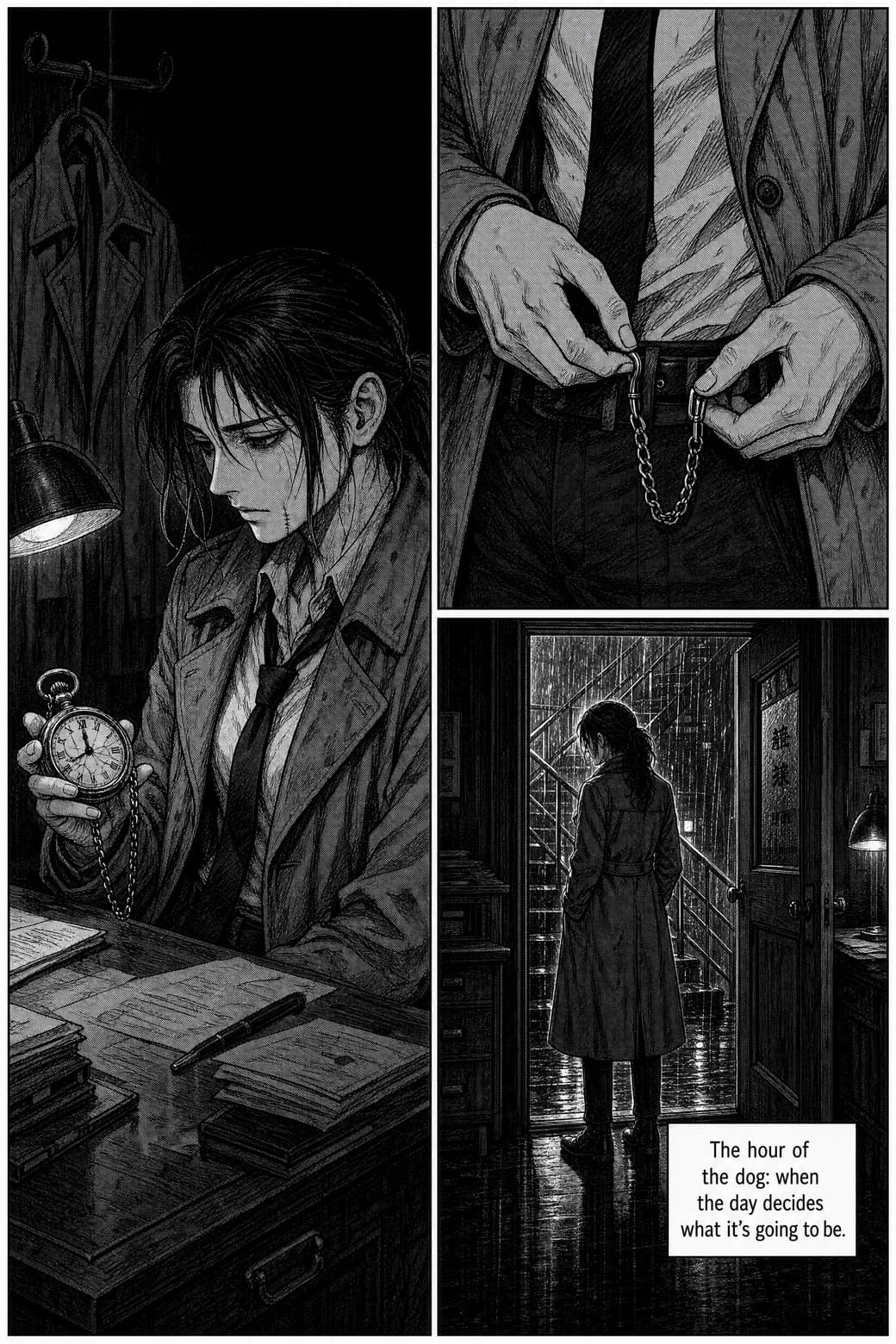
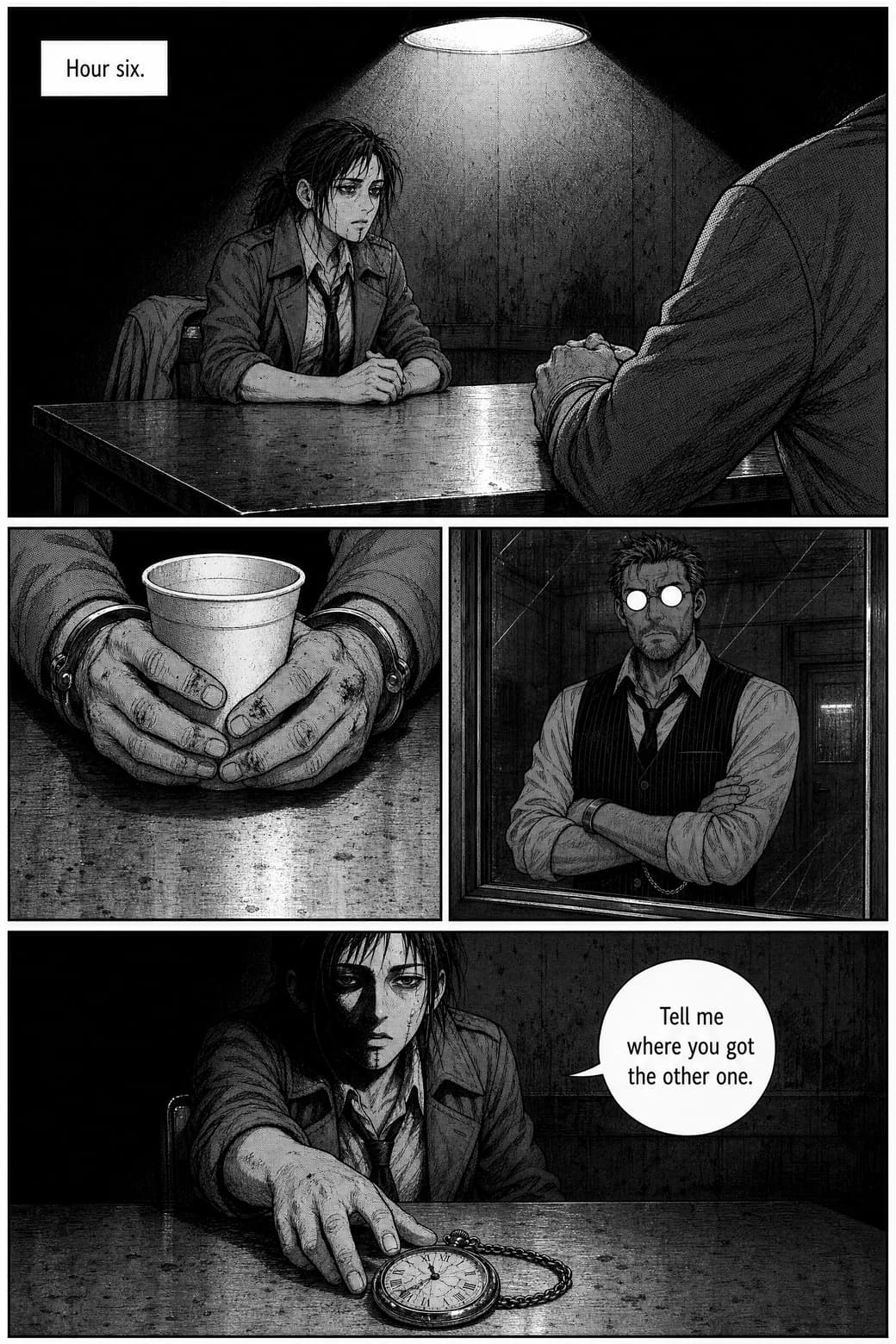
Page 1 and page 12 — eleven pages apart, same face
Same detective, same trench coat, same heavy eyes — eleven pages after you introduced her. Chapters here run from 4 to 400 pages, and the sheet that drew page one is the sheet drawing page four hundred.
The recipe
How to script a manga page so it draws well
This format helps in any tool, and it's exactly how the story step here reads best — one beat per panel, written like direction, not prose:
Page 1, Panel 1:
Wide shot — rainy alley at night. KAIDA (locked cast)
under a flickering sign. Mood: wary.
Leave space for one balloon.

Panel 2:
Close-up — her hand around a cracked pocket watch.
Dialogue: "You kept it."
Three rules make it work: one action per panel — a panel that does two things does neither well; never re-describe appearance — the cast step holds identity, panel directions hold action, mood, and camera; and name the mood — "wary" changes the inking, not just the face. In TaleFolio, this is how you brief the story step; the paneling and lettering are placed for you.
Styles
Two manga registers, two ink moods
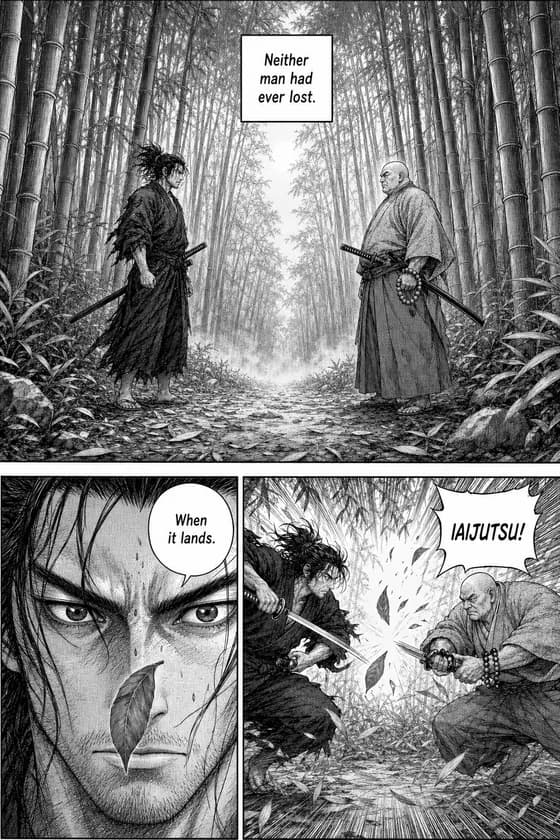
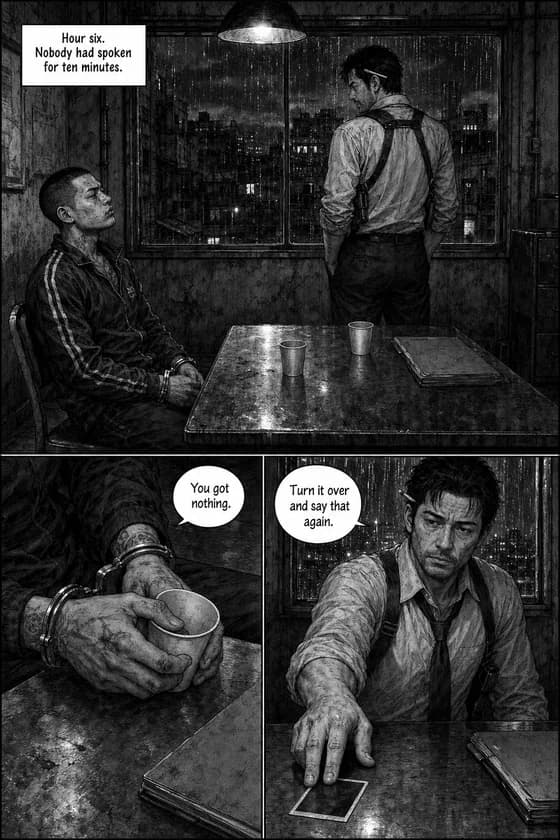
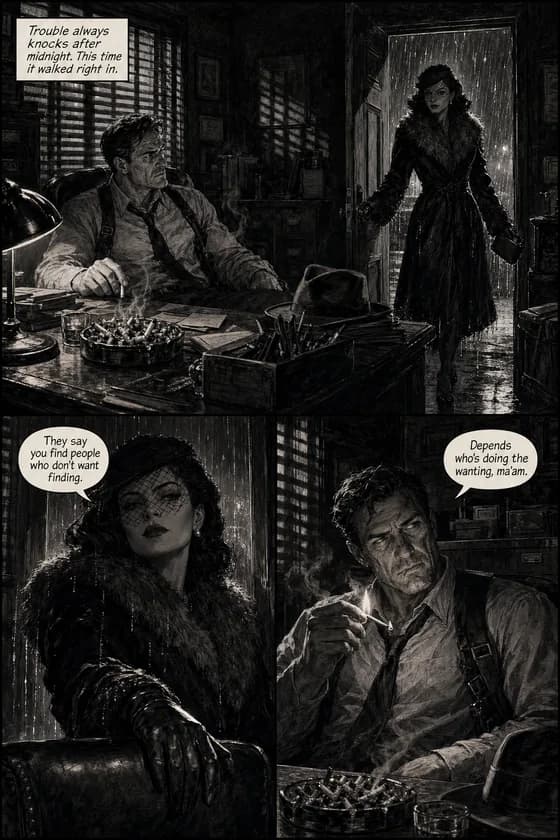
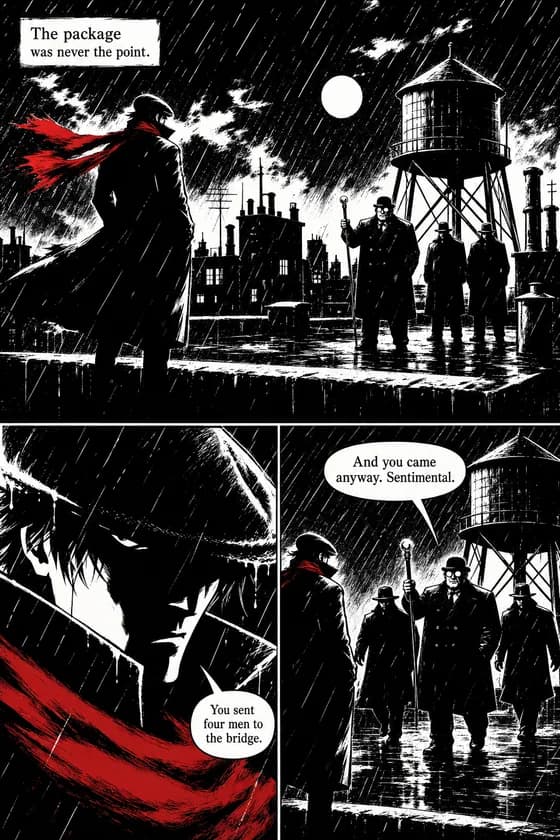
Manga is the classic register — solid blacks, screentone shading, pressure-flexed line. Realist Seinen goes denser: meticulous ink, heavy cross-hatching, faces that show age and wear. For chiaroscuro moods there's Film Noir (hard single light, striped shadows) and Ink Noir (pure black, pure white, at most one drop of color). Shonen energy or shojo softness is a matter of your story and tone — the styles serve any demographic. One law across all of them: style changes the ink, never the faces. And if your story wants a phone-first vertical scroll rather than pages, the AI webtoon generator is the format for that.
Plain answers
The conventions, stated plainly
Tool pages in this category tend to go quiet exactly where a manga reader has questions. Plain answers:
Lettering that's actually legible
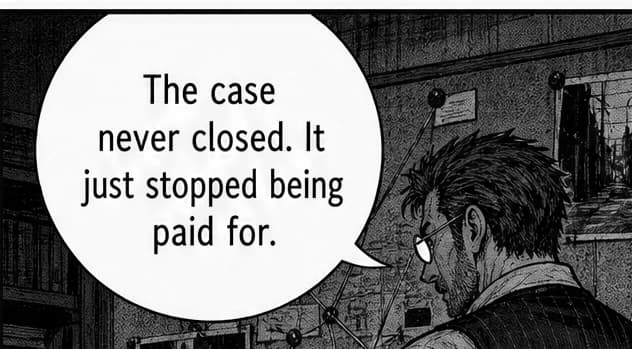
A fair warning you'll read elsewhere: AI-rendered text inside images is often misspelled or warped. Here, dialogue isn't typed over the art afterward and isn't left to chance — bubbles are placed and lettered as the page is generated, in any of 60+ languages, Japanese included. The close-up below is unretouched.
What AI manga still gets wrong
Honesty the category owes you: complex action choreography and hands remain the hard cases for every generator, ours included. Pages arrive finished, but a chapter deserves a review pass — and when a page needs another take, you redo that page for 100 coins while the rest of the chapter stays put. Earlier versions remain available.
Pricing
What a chapter actually costs
There's no free tier — what's free is the preview: a cover and the first page of your own story. After that, every page costs a flat 100 coins. A chapter here isn't a separate product with separate math — a chapter is simply your story, 4 to 400 pages of it.
Checked arithmetic: a 20-page chapter is 2,000 coins — exactly one Starter month ($9.99). Plus ($24.99, 7,000 coins) covers about three chapters that size a month.
| Plan | Price / month | Coins | ≈ 20-page chapters |
|---|---|---|---|
| Starter | $9.99 | 2,000 | 1 per month |
| Plus | $24.99 | 7,000 | 3 per month |
| Pro | $59.99 | 20,000 | 10 per month |
Pages generate at 1664×2496. Finished stories export as PDF, CBZ, or a Kindle-ready (KDP) package. Full details on the pricing page. Cancel anytime.
Fair warning
When something else is the better path
Honestly: if what you want is maximum control over single illustrations — training a style on your own art, tuning every panel by hand — the canvas-and-LoRA class of tools genuinely serves that better. If your goal is to draw manga, that's a craft measured in years, it's worth every one of them, and nothing here replaces it. And if your ambition is a magazine submission: editorial routes judge drawn craft — treat an AI-assisted chapter as a prototype or a self-published work, not a portfolio piece for an editor. TaleFolio earns its place when the job is a finished, readable chapter of a story you couldn't otherwise see on a page. (Assessed October 2026.)
Questions manga makers actually ask
Does it make real black-and-white manga or colored images?
Will my characters look the same on page 12?
What does a chapter cost?
Can I make a manga with zero drawing skill?
Can a non-Japanese person make manga?
What's actually free?
Can I publish or sell an AI-assisted manga?
Shonen, shojo, seinen — which styles does it have?
Your story already has its panels.
See its cover and first page — free — and judge the ink yourself.
Make your first page